
Break reminder app for Mac: what makes a good one
What a good break reminder app for Mac does: counts real desk time, stays quiet on calls and comes rarely enough to keep. Built-in options and their limits.
A good break reminder app for Mac is one you still have switched on a month later. That means it counts the time you actually spend at the keyboard, stays out of calls and full screen apps, comes a handful of times a day rather than every few minutes, and lets you put a break off with one click.
macOS has no break reminder of its own, though a few of Apple's apps can stand in for one. This post covers what to look for, what the built-in options can and can't do, how often a reminder should come, and how Notchpals approaches breaks.
What makes a good break reminder app
Most break reminders fail the same way. They work for three days, start to feel like an alarm, and get switched off. The ones that last tend to share a few traits.
- It counts time at the Mac, not time on the clock. If you spent twenty minutes in the kitchen, the clock kept running but your eyes and back got a rest. A reminder that goes by the clock tells you to take a break you have just had, and you learn to ignore it.
- It stays out of the way when you are busy. A prompt in the middle of a video call, a recording or a presentation is the fastest way to get any app uninstalled.
- It comes rarely enough to keep. Alerts that arrive every few minutes turn into background noise. People who study alarms call this alarm fatigue: the more often an alert fires, the less attention each one gets.
- Not now is one click, and it comes back. If you are mid-sentence, you need a way to say later without the break being lost for the rest of the day, and without it nagging every minute either.
- It asks for something specific. "Look across the room" or "stand up" is easier to act on than "take a break", which mostly makes you feel guilty.
- It doesn't go stale. The same banner with the same words every day becomes invisible. Variety, or a face you recognize, keeps it readable.
- It keeps to itself. A break reminder has no need for an account or for sending what you do anywhere.
Does a Mac have a built-in break reminder?
Not as such. There is no setting in macOS that tells you to stand up or rest your eyes. Several of Apple's own apps can be pressed into service, though, and for some people one of them is enough.
The quickest is Reminders. Add a reminder called "Take a break", open its details with the "i" button, give it a time, and pick an interval from the Repeat menu, which in recent versions of macOS offers Hourly as well as Daily and Weekdays. The details panel has moved around a little between versions, but the options are all there.
Here is how the main options compare:
| Option | Good at | Where it falls short |
|---|---|---|
| Reminders, repeating | Quick to set up, syncs to your iPhone through iCloud | Fires by the clock, at the desk or not, and looks like every other notification |
| Clock app timer | Timing a work block exactly | You have to start it again every time |
| Calendar event | Protecting a lunch break from meetings | Its alert is as easy to dismiss as any other, with no sense of whether you are at the Mac |
| Screen Time Downtime | Ending the screen day in the evening | Built for blocking apps on a schedule, not for short breaks |
| Shortcuts automation | Flexible if you like building things | Time-of-day automations on the Mac need macOS Tahoe |
| Apple Watch stand reminders | Getting you up once an hour | Only on the watch, and only about standing |
Screen Time lives in System Settings > Screen Time, and Downtime is the part that schedules time away from the screen. Clock sits in the Applications folder on macOS Ventura and later. Apple Watch stand reminders are switched on in the Watch app on your iPhone, under Activity.
All of these have the same blind spot: none of them knows what you are doing at the Mac. They fire during a call, they fire when you have just come back from lunch, and they fire at exactly the same minute every day.
How often should a break reminder go off?
There is no official number, so treat any figure you see quoted with some caution. A few rhythms come up again and again in advice for desk workers:
- Eyes, every 20 minutes or so. The 20-20-20 rule asks you to look about 20 feet away for 20 seconds. The numbers are a rule of thumb, not a measured prescription.
- Body, about once an hour. Health guidance says to break up long periods of sitting, without setting a precise interval. Standing up roughly hourly fits the way most workdays are cut.
- Head, once or twice a day. A real break away from the screen, such as lunch or a short walk, does things a twenty-second glance can't.
Micro breaks vs real breaks goes into what each kind of break is for. The practical point is that the interval matters less than whether you keep the reminder on. A strict 20-minute timer interrupts you three times an hour, and very few people last a week with that. Fewer prompts that arrive at sensible moments, plus a habit or two of your own, such as looking out of the window whenever you send an email, tend to get more breaks taken in the end. If sitting or screen work hurts, that is a question for a doctor or physiotherapist, not for a reminder app.
How Notchpals handles breaks
Notchpals has no single "break" alarm. Its breaks are shared out among a crew of characters who come down from the notch, each one in charge of a single area:
- Eyes: an eye break (the 20-20-20 idea) and a blink break, both repeating.
- Movement: a nudge to stand when you have been seated for most of an hour, a repeating stretch, and one short walk in the early afternoon.
- Posture: a repeating posture check and a nudge to drop your shoulders.
- Self-care: a breathing break after an hour and a half at the keyboard without a pause.
All of it runs on time you are actually at the Mac. Two minutes without the keyboard or mouse and Notchpals treats you as away, and away time isn't counted, so a long lunch doesn't set off a stretch reminder the moment you sit down. Nick, a white spitz who is one of the Movement characters, waits until you have been sitting a good while before he says anything:

NickUp you get. Even I stand up and turn around three times.
The pace is deliberately modest. All the repeating reminders, from water to eye breaks to stretches, share one daily budget for the whole crew, set in Settings as "Repeating reminders a day": Calm (4), Normal (8, the default) or Chatty (12), spaced at least about two hours, one hour or 40 minutes apart. There are at least 20 minutes between visits the crew starts on its own, and only one character is on stage at a time.
Because interruptions are the whole problem with break reminders, the quiet rules matter here. The crew always holds back during calls and recordings (whenever the mic or camera is on), when the app in front is full screen on the notch's display, and while you are away. You can also pause it for an hour, or until the next morning, from its menu bar icon. It does not detect macOS Focus modes, Do Not Disturb or screen sharing, so pause it yourself before presenting from a window. Reminders that know when not to remind you has the full set of rules.
Each visit has two buttons. Press Done and the character says thanks. Press Later and you get one more visit twenty minutes after, if the reminder still applies; a second Later drops it. A reminder stays up for about 9 seconds, and letting it go by counts as Later.
If you like working in timed blocks, Bolt, a retro robot with no patience for nonsense, can run a focus session from the menu bar, 25 minutes or 50. During a session only Focus moments, a critical battery warning and a meeting about to start can visit. When it ends, Bolt points you at the break you have earned:
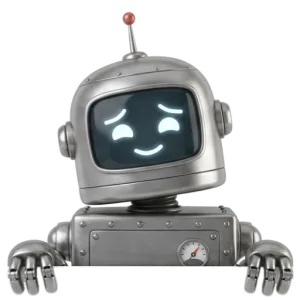
BoltSession ended. Cooling fans recommended. You have none. Stretch instead.
A few honest limits. You can't set your own interval; the choice is Calm, Normal or Chatty. Notchpals doesn't time the break itself, keep stats or count streaks. And it has no idea whether you actually stood up. It trusts your Done.
Which break reminder should you use?
- You only need lunch protected: a repeating Calendar event, so colleagues see you are busy.
- You work in timed blocks: a Clock timer, or a focus session if you use Notchpals.
- You wear an Apple Watch: its stand reminders cover the hourly get-up, and a habit like looking up after every email covers your eyes.
- You want breaks spread through the day without managing them: a reminder that counts your time at the Mac and keeps out of calls, rather than one that watches the clock.
Whichever you choose, start with fewer prompts than you think you need. A reminder you act on three times a day does more than one you dismiss twenty times.
More on using notchpals
 Using NotchpalsEye break reminder on a Mac: how to set one for 20-20-20How to set an eye break reminder on a Mac for the 20-20-20 rule, why one every 20 minutes is too much for most people, and a gentler rhythm that sticks.
 Using NotchpalsMeet the new Notchpals characters: 11 new faces in the notchNick, Debug, Jot, Lolo, Otto, Clover, Matsu, Maple, Professor Hoot, Nod and Walter: the new Notchpals characters, what each looks after and who each suits.
- Using NotchpalsStand up reminder on a Mac: three ways to set one upThree ways to get a stand up reminder on a Mac: an Apple Watch, a repeating reminder in Reminders, or one that waits until you have sat for about an hour.