
Meeting reminder message templates: emails and texts to copy
Meeting reminder message templates for a day before, an hour before and 10 minutes before, plus a nudge for a late attendee and a reschedule. Copy and edit.
A good meeting reminder message is two or three short sentences: what the meeting is, when it starts in the reader's time zone, where to join, and anything to bring. Below are templates you can copy for a day before, an hour before, 10 minutes before, a late attendee and a reschedule.
Swap the parts in square brackets for your own details. Most come as an email with a subject line and as a shorter version for a chat message or a text, because a reminder an hour out usually lands better in chat than in an inbox.
What should a meeting reminder say?
Everything the other person needs to turn up on time and ready, and nothing else.
- What it is. Use the name they will recognize, not your internal project code.
- When it starts. Day, date, time and time zone. "Tomorrow at 3" means different things to someone two time zones away, or to someone reading it after midnight.
- Where to go. The video link, the room or the address. Paste the link into the message even if it is already in the invite. Nobody enjoys hunting for it a minute before the start.
- What to prepare. One line, only if there is something. "Have a look at the draft" is plenty.
- An easy way out. A short "if this no longer works, just reply" gets you a reschedule the day before instead of an empty call.
Keep the tone light and skip the apology. A reminder is a courtesy, not an imposition, and people tend to be glad of it.
When should you send a meeting reminder?
| Timing | Best for | Where to send it |
|---|---|---|
| A day before | New contacts, interviews, external guests, anything with preparation | |
| An hour before | People who might forget, or who will need the link | Chat or email |
| 10 minutes before | Someone coming from another call, or a meeting that moved | Chat or text |
| 3 to 5 minutes after the start | An attendee who hasn't joined | Chat or text |
| As soon as you know | A reschedule | Email, plus chat if it is today |
You rarely need all of these for one meeting. For a routine weekly call with your own team, the calendar invite already carries everyone's own alerts, so skip the reminder altogether. Save the day-before message for meetings that would be awkward to miss, and the 10-minute one for people you know are running between calls.
Meeting reminder templates you can copy
A day before
- Subject: Tomorrow at [time]: [meeting name]
- Email: Hi [Name], a quick reminder that we're meeting tomorrow, [day and date], at [time and time zone] to [purpose]. Here's the link: [link]. If you get a chance, have a look at [document] beforehand. If the time no longer works, just reply and we'll find another. See you then, [Your name]
- Short version: Hi [Name], looking forward to tomorrow at [time and time zone]. The link is in the invite, and here it is too: [link]
An hour before
- Subject: In an hour: [meeting name] at [time]
- Email: Hi [Name], see you in an hour, at [time and time zone]. We'll meet here: [link]. Nothing to prepare, just bring any questions you have. [Your name]
- Short version: Hi [Name], we're on at [time]. Link: [link]
10 minutes before
This one belongs in chat or a text. An email 10 minutes before a meeting is rarely read in time.
- Short version: Hi [Name], we start in 10 minutes. Here's the link: [link]
- With a little warmth: Hi [Name], starting in 10. I'll be in the call a couple of minutes early if you want to check your audio: [link]
A reschedule
- Subject: Moving [meeting name] to another day
- Email: Hi [Name], I need to move our [meeting name] on [day] at [time]. Sorry for the change. Would [option one] or [option two] work for you instead? I'll send a new invite as soon as you pick one. Thanks for your patience, [Your name]
- Short version: Hi [Name], something has come up and I need to move our [time] today. Could we do [option one] or [option two]? Sorry for the short notice.
Confirming a time they suggested
- Email: Hi [Name], [new day and time] works well. I've updated the invite, and the link stays the same: [link]. Talk then, [Your name]
How do you politely remind someone who is late to a meeting?
Give it a few minutes first. Calls run over, links break, and people get stuck in a lobby waiting for someone to admit them. Three to five minutes after the start is a reasonable point to send the first nudge. Assume a clash, not rudeness, and make it easy for them to either join or bow out.
- At 3 to 5 minutes: Hi [Name], we're in the call and ready when you are: [link]
- At about 10 minutes: Hi [Name], we'll hang on for another 5 minutes, then let's find a new time. No problem at all if today got away from you.
- Afterward: Hi [Name], sorry we missed each other today. Would [option one] or [option two] work instead?
Send each one once. A string of "are you joining?" messages helps nobody, and the person who is late already knows. If you are the organizer, decide in advance how long you will wait, so the people who did turn up aren't left hovering.
Small things that make reminders land
- Always include the time zone, even when you think everyone is in the same one. Someone is always traveling.
- Put the link in the first line of a chat message, not the last. It is what people tap first.
- Send from where they actually look. Colleagues usually read chat faster than email. External guests may only see email.
- Schedule it. In recent versions of macOS, Mail can send a message later: click the arrow next to the Send button and pick a time. In macOS Sequoia and later, Messages can schedule an iMessage too, with Send Later. Write the day-before reminder when you book the meeting and let it go out on its own.
- One reminder is a courtesy, three is pressure. Pick the one that fits the meeting.
A reminder for you, not just them
These templates look after the other people in the meeting. The organizer is often the one most likely to be late, because the organizer is usually the one with back-to-back calls. Your own reminder works best when it reaches you a few minutes before the start, with enough time to find the link and refill your water.
That is the reminder Notchpals handles, and only that one: it sends nothing to anyone else. Its Schedule characters work from your calendar, and Ticky, an alarm clock in a permanent state of alarm, is one of them. With a Schedule character in your crew and calendar access allowed, your next meeting gets a visit shortly before it starts, no earlier than 10 minutes out and no later than 3.
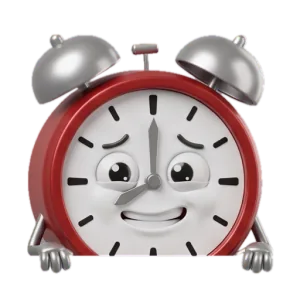
TickyCalendar says soon! My little hammer's trembling! You've got this!
Notchpals reads only when the next meeting starts, never its title, notes or who is invited. While your microphone or camera is in use, the character holds back rather than interrupt the call you are on, so if that call runs through the whole window you won't see the visit at all. Pair it with Calendar's own alerts, set up as in meeting reminders on a Mac, and use the gap well: what to do five minutes before a meeting has a short routine for it.
More on meetings and the workday
 Meetings and the workdayRecurring reminders on Mac: how to set them in RemindersHow to set recurring reminders on a Mac in Reminders: repeat options, custom repeats, early reminders, Smart Lists, iPhone sync and where it falls short.
 Meetings and the workdayThe 52/17 rule: work 52 minutes, then break for 17The 52/17 rule means 52 minutes of focused work, then a 17 minute break away from the screen. Where it came from, how it compares to Pomodoro, how to try it.
 Meetings and the workdayA shutdown ritual to end your workday properlyA ten-minute routine to close the workday: capture open loops, pick tomorrow's first task, check the calendar, quit your apps and call it done.