
How to sit at a desk properly: a step-by-step guide
How to sit at a desk properly: feet flat, back supported, shoulders loose, elbows bent, wrists straight, screen near eye level. Then keep moving.
To sit at a desk properly, sit all the way back in the chair with your feet flat, knees about level with your hips, lower back supported, shoulders relaxed, elbows by your sides at roughly a right angle, wrists straight, and the screen an arm's length away with its top edge near eye level. Then don't hold that position all day. Shifting, standing and moving often matter as much as getting the position right.
Below, each part of the body in order from the floor up, with what to do when the chair or desk won't cooperate, then the questions people ask most: whether to sit bolt upright, whether crossing your legs is bad, and how any of this works with a laptop. A table at the end lets you check yourself in thirty seconds.
Step by step, from the floor up
Work in this order. Each step depends on the one before it, which is why starting with the screen so often goes wrong.
1. Feet
Both feet flat on the floor, roughly under your knees. If you raise the chair to reach the desk and your feet no longer touch the floor, put something under them: a footrest, a sturdy box, a couple of thick books. Dangling feet, or feet hooked around the chair legs, pull you forward on the seat.
2. Knees and thighs
Thighs roughly level, knees at about hip height or a little lower. Leave a gap of a few fingers between the front edge of the seat and the back of your knees. If the seat presses there, slide it back if the chair allows, or put a cushion behind you.
3. Hips
Push your hips all the way to the back of the seat. This is the step most people skip, and it is the one that makes the rest work. Perched on the front half of the chair, your pelvis rolls back and no backrest can help you.
4. Lower back
Let the backrest touch your back, with some support in the small of your back, around belt height. Use the chair's lumbar support if it has one, or a small cushion or rolled hand towel if not. Tip the backrest a little past upright if it reclines, so the chair takes some of your weight.
5. Shoulders and upper back
Shoulders relaxed and down, not lifted toward your ears or rolled forward. Your upper back rests against the chair rather than curling toward the desk. A quick check: lift your shoulders up high, then let them drop. Where they land is where they should stay.
6. Elbows and forearms
Let your arms hang by your sides, then bend your elbows to about a right angle, or a little more open. Your forearms should be roughly level, and that height is where the keyboard belongs. If the desk is higher than your elbows, raise the chair and use the footrest from step 1. Armrests, if you have them, should let your shoulders stay loose, not push them up.
7. Wrists and hands
Wrists straight, continuing the line of your forearms rather than bending up or to the side. The mouse or trackpad goes level with the keyboard and tight against its side, so your elbow doesn't wander out when you reach for it. Rest your hands when you pause, rather than leaning on your wrists while you type.
8. Head, eyes and screen
Your head sits over your shoulders, not in front of them. The screen goes directly in front of you, roughly an arm's length off, with the top of the screen at about your eye height or a little under, so you look slightly down toward the middle of it. If you wear progressive lenses, set it a bit lower so you don't tip your head back to read. If you catch yourself leaning in, make the text bigger rather than moving closer.
Desk setup for a Mac covers the desk side of this, the chair, keyboard, screen and light, in the same order.
Should you sit up straight at a desk?
Not bolt upright, and not all day. "Sit up straight" is usually taken to mean a stiff, military posture, and most people find that tiring within minutes. Research has not found one perfect sitting position, and people with very different postures can be equally comfortable.
What the guidance tends to agree on is supported and varied. Supported means the chair holds you up, so your muscles don't have to. A slight recline against a backrest is often more comfortable than perfectly upright. Varied means you change position through the day: lean back to read, sit forward to write, stand for a call. There is an old saying in ergonomics that sums it up: the best posture is the next one.
Is it bad to cross your legs at a desk?
For short spells, it is generally fine. The trouble comes from holding it for long periods. Crossing your legs tends to twist the pelvis slightly and puts uneven load on your hips and lower back, and crossing at the knee presses on the outside of the knee, which is why a foot sometimes goes numb or tingly afterward. That passes when you uncross.
If you cross your legs out of habit, it often means your feet aren't comfortable on the floor, so check the chair height and footrest first. If you like crossing them, switch sides now and then and come back to both feet flat regularly.
How do you sit properly with a laptop?
You can't, quite, with the laptop alone. When the keyboard is at your elbows, the screen is far too low, and when the screen is at your eyes, the keyboard is far too high. Something has to give, and with a laptop flat on a desk it is usually your neck and upper back.
The fix is to separate the two:
- Lift the MacBook, on a stand or a few sturdy books, until its screen reaches the height from step 8.
- Type and point on an external keyboard and mouse or trackpad, set on the desk at elbow height.
- Follow the steps above as normal.
If you only have the laptop for a while, sit back in the chair, tilt the screen back so you can look down at it with your eyes rather than your whole head, and take breaks more often. Good posture with a MacBook goes through the setups, including working away from a desk.
A thirty-second self-check
Run through this whenever something starts to ache, or once a week as a habit.
| Body part | What good looks like | Common slip |
|---|---|---|
| Feet | Flat on the floor or a footrest | Dangling, or hooked around the chair legs |
| Knees | About level with the hips, or a little lower | Higher than the hips on a low chair |
| Hips | All the way to the back of the seat | Perched on the front edge |
| Lower back | Against the backrest, with some support | A gap between back and chair |
| Shoulders | Relaxed and down | Creeping up toward the ears |
| Elbows | By your sides, bent to about a right angle | Reaching forward to a far keyboard |
| Wrists | Straight, in line with the forearms | Bent up, or resting on a hard edge |
| Head | Over the shoulders | Pushed forward toward the screen |
| Screen | An arm's length away, top at or below eye level | Too low, too close, or off to one side |
Keeping it up through the day
Nobody holds a good position for long. You sit back at nine, and by mid-afternoon you are on the front edge of the seat with your nose near the screen, with no memory of the slide. That drift is normal. The useful habit is catching it now and then.
In Notchpals, catching it is the Posture character's job, from a seat in your Mac's notch. With Barnaby, a butler of unshakable dignity, the posture checks come a few times a day, and one of them sends you straight back to step 3:

BarnabyMight I suggest the back of the chair? It has been waiting very patiently.
Once a day, in the afternoon or early evening, he also raises step 8:
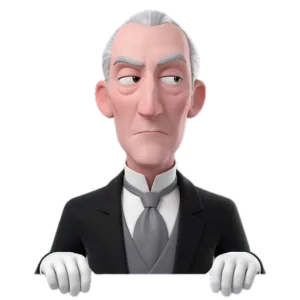
BarnabyDo lean back. You are near enough to that screen to be formally introduced.
The other half of the advice, changing position, belongs to a Movement character, who asks you to stand when you have gone nearly an hour without leaving the chair. Press Done when you have done the thing, or Later to hear about it once more a little later.
A good sitting position makes everyday stiffness less likely, but it is not a treatment. If pain hangs on for more than a few weeks, keeps returning, or comes with numbness, tingling or weakness in your arms or legs, see a doctor or a physiotherapist, who can look at how you actually sit and move.
More on posture
 PostureLower back pain from sitting at a desk: causes and fixesLower back pain from sitting at a desk often comes from slumping, a chair that doesn't fit and sitting still too long. Fixes, stretches and when to get help.
 PostureHow to make any chair more ergonomic without buying a new oneMake any chair more ergonomic with what you own: a rolled towel for your lower back, a cushion for height, a box for your feet, and fixes for awkward armrests.
 PostureRounded shoulders from desk work: causes, checks and fixesRounded shoulders from desk work come from hours of reaching forward to type. Quick checks, a doorway chest stretch, shoulder blade work and setup fixes.