
How to drink more water with ADHD (or a brain that forgets)
Out of sight, out of mind. How to drink more water with ADHD: bottles you can see, cues tied to meetings and app switches, novelty and reminders that are kind.
If you have ADHD, or just a brain that drops anything it can't see, the way to drink more water is to stop relying on remembering. Put water where your eyes already go, tie drinking to things that happen many times a day anyway, change the setup before it goes invisible, and use reminders kind enough that you don't learn to tune them out.
Plans built on willpower tend to fail here for a simple reason: they lean on the one thing that is in short supply. What follows is practical advice, not medical advice, and nothing here replaces talking to your doctor about ADHD itself.
Why is it so hard to remember to drink water with ADHD?
Several things stack up, and none of them are about not caring.
- Out of sight, out of mind. Many people with ADHD say that an object they can't see more or less stops existing for them. A bottle in a bag or on the kitchen counter might as well be in another building.
- Hyperfocus. When something grabs you, the rest of the world goes on mute, including thirst, hunger and the bathroom.
- Time blindness. "I'll drink after this" feels like five minutes and turns out to be the whole afternoon. Time blindness at the computer covers this in more detail.
- Boredom. Plain water is about the least interesting drink there is, and a dull habit is the first to slip.
- Noticing late. Some people with ADHD say they only notice thirst or hunger once it is strong. Whether that comes from ADHD or just a busy brain, the effect at a desk is the same.
If you take medication for ADHD and notice it changes your appetite or leaves your mouth dry, mention it to the doctor who prescribes it. They can tell you what is expected and what isn't.
Make water impossible to miss
The first fix is physical. If you can see it, you will drink more of it.
- Put the bottle in your line of sight, at the edge of the desk beside the screen. Not behind the monitor, not on the floor, and not right next to the keyboard where an elbow can find it.
- Use a clear bottle, or one with a window, so how much is left is obvious without thinking.
- Have one bottle for every place you sit. One on the desk, one by the couch, one by the bed, one in the bag. The bottle you don't have to go and fetch is the one you drink.
- Fill them the night before, or keep a jug in the fridge, so a refill never involves a decision.
- Try a straw or a sports cap. Many people find they sip more, almost without noticing, when there is no lid to unscrew and no glass to tip.
- Go big. A larger bottle means fewer refills, and fewer trips to the tap means fewer chances to get sidetracked on the way.
Tie water to things that already happen
You don't have to remember to drink if something you already do does the remembering for you. Habit writers call this habit stacking: "after I do this, I drink." The trick with ADHD is picking cues that come round often and are hard to miss.
Good cues at a Mac:
- Every meeting. Take a sip as you join, and finish the glass when it ends. Calls are where water quietly vanishes from a day.
- Every unlock. When you wake the Mac, take a sip before you type your password or touch the Touch ID button.
- Every send. After you send the email or message you've been putting off, drink.
- One app switch you make a lot. Pick one, such as opening Mail or Messages, and make that the cue. Not every Command-Tab, or it stops meaning anything.
- Every wait. A file uploading, a build running, a page loading: pick up the bottle while you wait.
- Every trip away. Refill on the way back from the bathroom or the door, every time, without deciding.
Start with one or two. If a cue hasn't stuck after a week, swap it for a different one rather than trying harder at the same one.
Keep it new
Many people with ADHD know the pattern: a new habit works brilliantly for a week, then vanishes, because it stopped being interesting. Plan for that by rotating things before they go stale.
- Change the drink. Sparkling water, cold water with a slice of lemon, cucumber or a few berries, iced herbal tea. They all count. Does sparkling water count as water covers the fizzy option, including what it means for your teeth.
- Change the vessel. A different bottle, a glass you like, a new straw. It sounds trivial, but a new object on the desk is a new cue.
- Change the temperature. Plenty of ice one week, room temperature the next.
- Make it a small game. Snap a rubber band around the bottle for each refill, or mark times down the side and try to keep ahead of them. Drop it the moment it stops being fun, and try something else.
How do you remember to drink water when you hyperfocus?
Hyperfocus is the hard case, because nothing inside your head is going to interrupt it. The prompt has to come from outside, and acting on it has to take almost no effort.
- Keep the bottle within arm's reach, so drinking doesn't mean getting up or losing your place.
- Use an outside nudge. A reminder on the screen, a timer, a colleague, a housemate. Anything that doesn't depend on you noticing.
- Take the partial win. Two sips in the middle of a flow state is fine. You don't have to finish the glass right then.
- Catch it on the way out. Hyperfocus usually ends with a jolt: you suddenly feel hungry, stiff or desperate for the bathroom. Make water the first thing you do in that moment, before the next thing grabs you.
Reminders that are kind, not nagging
Reminders are where a lot of ADHD water plans go wrong. A loud alarm every 30 minutes works for two days, then turns into noise you dismiss without reading. Worse, a pile of missed reminders can start to feel like a list of failures, and that feeling makes it easier to give up on the whole idea.
What tends to work better:
- Fewer reminders, better timed, spread through the day rather than a constant stream.
- A real "not now" that brings it back later, so putting it off is not the same as failing.
- Different words each time, so it doesn't fade into the background.
- No scorekeeping. No count of what you missed and no red badges. A reminder you are glad to see is one you won't mute.
Why kind reminders work better than nagging goes into why tone matters so much.
Notchpals, a Mac app, is built along those lines, and it uses a spot your eyes cross all day: the notch. A visit there is hard to miss without being loud. One of its Water characters is Lolo, an axolotl whose mood never drops, which suits a reminder you are allowed to put off. When it's water time, Lolo slides down with a line and two buttons, Done and Later.
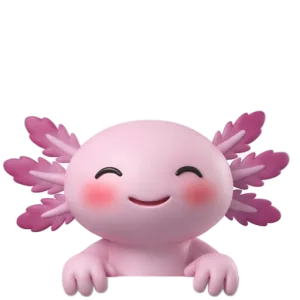
LoloI asked the water and it said it misses you. Go say hi to it!
A few things about it suit a brain that forgets. The lines change, with no repeats inside 3 days, so it doesn't go invisible after a week. It comes a handful of times a day, set by one choice (Calm, Normal or Chatty) shared across your whole crew, not every few minutes. It holds back while the mic or camera is on, so a visit due during a call waits and can land just after it, which is the meeting cue from earlier arriving by itself. And there is no score: no streaks, no tally of skipped glasses.
It doesn't know when you are deep in something, so Later is there for that. Press it, or just let the visit pass, and Lolo tries once more 20 minutes later.
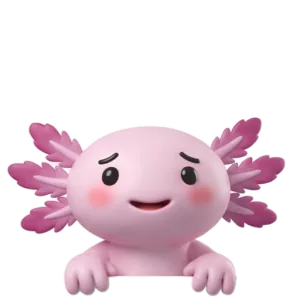
LoloOkay! Later is fine! I'll keep the water company until then!
A second Later lets that one go, so nothing piles up. Notchpals doesn't track what you drink, either. It takes your Done at its word and leaves the counting out of it.
Start with one change
Don't adopt everything above in one go. That is its own trap. Pick one change: a clear bottle in your line of sight, or a sip at the start of every meeting. Run it for a week. When it happens without thinking, add the next one. When something stops working, change the setup rather than blaming yourself.
More on water
 WaterWater reminders on iPhone, Apple Watch and MacSet water reminders on iPhone, Apple Watch and Mac with Reminders, Health and Shortcuts, where each one falls short, and how a reminder in the notch differs.
- WaterDoes coffee count as water? What the evidence saysCoffee and tea count toward your fluids, despite caffeine's mild diuretic effect. How much is sensible, when to swap a cup for water, and timing for sleep.
 WaterHow much water should you drink at work?The eight glasses rule, what health bodies actually advise, why your needs change with heat, exercise and size, and a simple plan for the workday.